
The allure of a smart home – lights that respond to your voice, thermostats that adjust automatically, and the convenience of controlling everything from your phone – is undeniable. But the price tag often associated with smart home tech can be a major turnoff. Fear not, budget-conscious tech enthusiasts! Creating a user-friendly smart home system without breaking the bank is entirely possible. This guide equips you with the knowledge and strategies to build a smart home that’s both convenient and affordable.
Start with Why: Defining Your Smart Home Goals
Before diving headfirst into gadgetry, take a step back and consider your “why.” What aspects of your home do you want to automate? Here are some common smart home goals:
- Convenience: Control lights, locks, and thermostats remotely or with voice commands.
- Security: Monitor your home with smart cameras and receive alerts for potential intrusions.
- Energy Savings: Optimize energy usage with smart thermostats and lighting controls.
- Entertainment: Stream music and videos throughout your home with smart speakers or displays.
Once you identify your priorities, you can create a targeted shopping list that aligns with your budget.
The Power of Planning: Choosing the Right Hub (or Not)
Smart home devices often communicate through a central hub, acting as the brain of your system. However, some smart devices connect directly to your Wi-Fi network, eliminating the need for a hub. Here’s a breakdown of the pros and cons of each approach:
-
Hub-Based Systems:
- Pros: Offer greater control and compatibility with a wider range of devices.
- Cons: Can be more expensive upfront due to the additional cost of the hub.
-
Hub-less Devices:
- Pros: Typically more affordable and easier to set up.
- Cons: May have limited functionality and compatibility compared to hub-based systems.
For a budget-friendly setup, consider starting with hub-less devices that directly connect to your Wi-Fi network. Popular options include smart plugs, smart bulbs, and voice assistants like Amazon Echo Dot or Google Home Mini. These devices offer significant convenience at a relatively low cost.
Prioritizing Functionality Over Fancy: Selecting Budget-Friendly Devices
The smart home market is brimming with options, but not all are created equal. Here are some tips for choosing user-friendly smart home devices on a budget:
- Focus on Functionality: Don’t get swayed by the latest bells and whistles. Prioritize features that directly address your needs.
- Consider Open Standards: Opt for devices that utilize open standards like Zigbee or Z-Wave, which allow for better compatibility with future purchases from different brands.
- Research Reviews: Read online reviews and user experiences to get a sense of device performance, ease of use, and value for money.
- Start Simple and Scale Up: Begin with a few key devices and gradually add more as your budget allows.
Here are some budget-friendly smart home device categories to consider:
- Smart Plugs: These affordable devices allow you to control any appliance plugged into them remotely or with voice commands.
- Smart Bulbs: Transform your lighting with dimmable and color-changing bulbs that can be controlled through your phone or voice assistant.
- Smart Thermostats: Programmable thermostats can help you save energy and money by automatically adjusting the temperature based on your preferences.
- Voice Assistants: A voice assistant like Amazon Echo Dot or Google Home Mini is a great way to control your smart home devices hands-free and add voice commands for convenience.
DIY Smarts: Exploring Automation with Free Apps
Many smart home devices come with dedicated apps that allow for basic automation. Explore the features of these apps to create simple routines, like scheduling lights to turn on at sunset or adjusting the thermostat before you arrive home.
For a more advanced DIY approach, consider free or freemium apps like IFTTT (If This, Then That). IFTTT allows you to create custom automation by connecting different smart home devices and services. While free plans may have limitations, they offer a way to experiment with automation without significant investment.
Repurposing Old Devices: Breathing New Life into Existing Tech
Before diving into new gadgetry, consider repurposing devices you already own. Here are some ideas:
- Smart TVs: Many modern smart TVs offer built-in apps for streaming services and voice control capabilities.
- Gaming Consoles: Some consoles like Playstation and Xbox can be used as smart home hubs, allowing you to control certain smart home devices through the console’s interface.
- Old Phones/Tablets: Download smart home device apps on unused phones or tablets to
control your smart home remotely. Just be sure the device is compatible with your Wi-Fi network and has enough battery life for extended use.
Security on a Budget: Smart Doesn’t Have to Mean Expensive
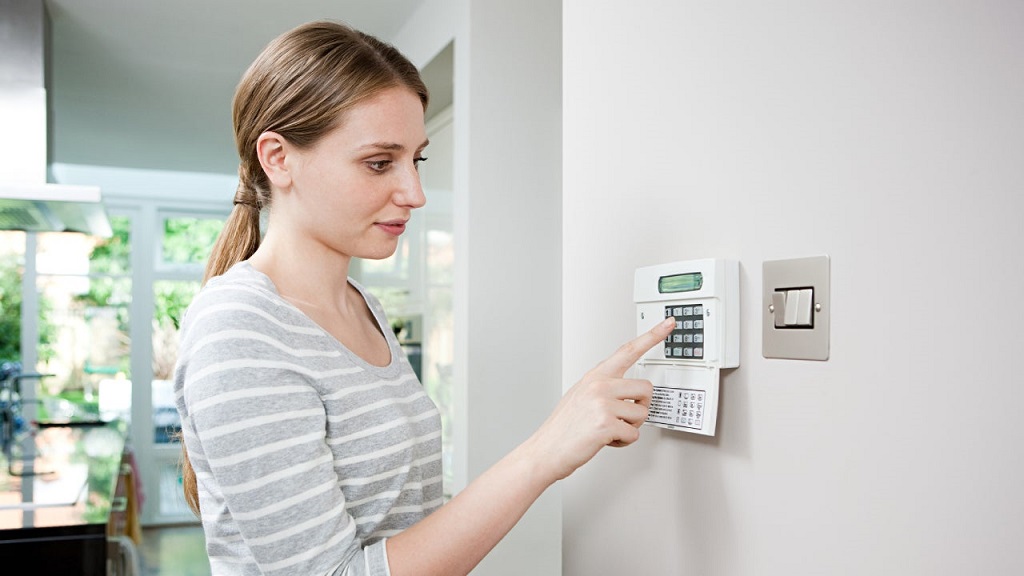
While top-tier security systems can be costly, there are budget-friendly options to enhance your home security:
- Smart Locks: Consider a smart lock that allows you to lock and unlock your door remotely or with a code. Some budget-friendly options offer keypad entry without the need for a full-fledged smart home system.
- Smart Security Cameras: Indoor cameras with motion detection can provide peace of mind without the hefty price tag of professional monitoring services.
- Free Monitoring Services: Some smart home device brands offer free basic monitoring plans, which may include push notifications or limited cloud storage for recorded footage.
The Power of Community: Learning from Others
The smart home community is a valuable resource for budget-conscious enthusiasts. Here are some ways to tap into the collective knowledge:
- Online Forums and Communities: Join online forums and communities dedicated to smart home technology. These communities are a treasure trove of information, user experiences, and troubleshooting tips.
- Smart Home Blogs and Websites: Many websites and blogs offer budget-friendly smart home setup guides, reviews, and tutorials.
- YouTube Tutorials: Visual learners can benefit from the wealth of YouTube tutorials on smart home device setup, automation creation, and troubleshooting common issues.
Related: How Does a Home Furnace Humidifier Work?
Remember: Building a smart home is a journey, not a destination. Start small, prioritize your needs, and don’t be afraid to experiment. With a little planning, resourcefulness, and knowledge from this guide, you can create a user-friendly smart home system that fits your budget and enhances your living experience.